ColorBender Home Basics Support About 4G Color Contact Us

New ColorBender
Release

ColorBender 1.1 is available now. This release supports High Precision Image Formats including 16 bit TIFF and Adobe DNG.

Free Trial
or Upgrade

Download for a free trial or to upgrade your current ColorBender installation.

Download
ColorBender 1.1.2

Buy Now $149

Made4Mac
$99 Specia
l

For a limited time, at check out, enter the code 4G007 and get a $50 discount

Extend Your
Free Trial

If your free trial period has expired, email us to request an extension.


Articles about ColorBender

Composing Digital Images

Popular Photography

Macworld Weblog


The View Window with the Adjustment Panel Open (click for actual size)


Easy, Fast and Powerful Image Editing

ColorBender works with digital images and with digital image management systems. Just drag and drop images onto ColorBender and process them faster and better than any other way.

Image Management


  • Files/Folders
  • Browsers
  • iPhoto
  • Aperture
  • Lightroom
  • eMail

Drag and Drop
Cut and Paste
Save and Open

                                                                           ( Click on these links for more information)

For Image Editing, ColorBender is fast, easy and preserves image quality over a wide range and combination of adjustments. In addition to a comprehensive set of image editing capabilities, ColorBender has several unique features including full control of color tone, the use of logic and selectors instead of layers, and precise, non-clipping color transforms.


Example Results

Color Tone and Selective Brightness Adjustments

This image was processed with just a few clicks and slider adjustments. First, the overall color tone was darkened. Secondly, the inside region was selected and the brightness and vividness were increased.

  
                   original image                                                    darker tones and brighter center

The above example shows how selectors are used to illuminate and compose parts of an image. ColorBender's exceptionally smooth transforms assure that there will be no contours or artifacts.


Selective Color Shift

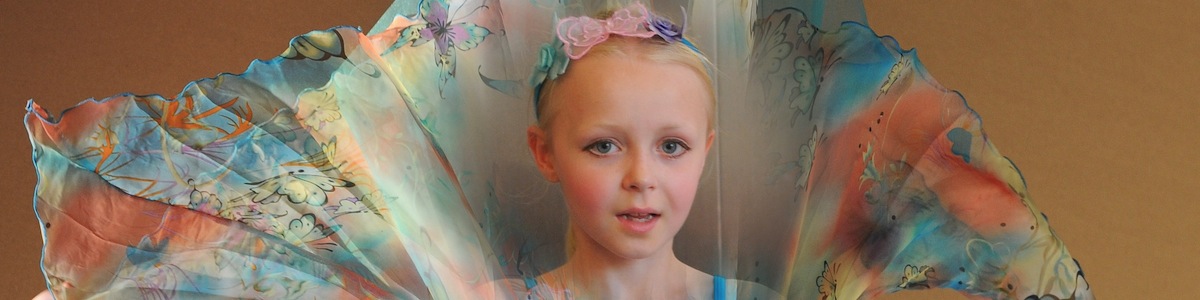
Sometimes you may want to adjust specific objects in an image, rather than composition regions. By using a combination of region, color and neutral selectors, often objects can be isolated. In the following example, the eyes are isolated by selecting the middle center and middle right regions and the cyan and blue colors.

          
control settings                                         original image                                          adjusted image   

A number of operations can be applied to the selected objects. In this example, the colors were shifted towards green as shown on the adjustment panel on the left. Next, one would probably want to adjust tone for a more realistic result as shown in these additional examples.


Comparison to other Applications

ColorBender algorithms are different from those used in other applications. They assure that image quality is as high as possible and they directly control visual changes, which makes them easier to use and to understand. The following example compares the Brightness control for ColorBender and for iPhoto. The iPhoto results are typical for most other applications. The original image is shown above on the left.

  
ColorBender Brightness Increase                                    iPhoto Brightness increase

The iPhoto results on the right illustrates the problems with nearly all image adjustment applications. These problems are:

  • The image has been clipped which burns out the sky and clouds
  • Near the clipped region, colors are shifted as can be seen by the change in sky color
  • The black point has been changed, resulting in a loss of visual contrast.

Because ColorBender does not clip, does not color shift and does not change the black point and white point, the operations work over a much greater useful range. Adjustments are easier and faster and the results are better.


ColorBender 1.1 is a Universal Application that runs on Mac OS X 10.4 or later

© 4G Color 2005, 2006, 2007 all rights reserved, Website updated March 7, 2007